API Key Generation and Management
An API key is a means of authentication to use the Theta One API service, starting with sk-theta- and consisting of a random string.
- Header name:
x-api-key - Key format: string starting with
sk-theta- - Where to create: API Console → APIs → Create New Key
- Shown in full: once, at creation time only. Save it immediately.
- Per-key controls: expiration date, rate limit (RPM).
Using your API key in requests
Every request to the Theta One API must include the key in the x-api-key HTTP header:
POST /transcribe HTTP/1.1
Host: stt.thetaone-ai.com
x-api-key: sk-theta-XXXXXXXXXXXXXXXXXXXXXXXX
Content-Type: multipart/form-data; boundary=...
This applies to every endpoint — /transcribe, /analyze-native, /pronunciation, and /pronunciation-simple.
Test that your key works
The fastest correctness check is a single /transcribe call with any short .wav:
curl -X POST 'https://stt.thetaone-ai.com/transcribe' \
  -H 'x-api-key: sk-theta-YOUR_KEY' \
  -F 'file=@audio.wav;type=audio/wav'
200 OKwith a JSON body → your key is active and billable.401 Unauthorized→ key missing, wrong, inactive, or expired.402 PAYMENT_REQUIRED→ key works but your account is out of credits or your plan doesn't include this service. See Pricing.
Security best practices
- Store keys in a secrets manager or an environment variable (e.g.,
THETA_ONE_API_KEY). Never commit them. - Never send an API key from browser / mobile client code — proxy through your backend.
- Set an Expires At on every key that belongs to a short-lived job or a specific contractor.
- Rotate keys on a schedule; deactivate the old key after traffic has migrated.
- If a key leaks, deactivate it immediately in the console and issue a new one. Theta One is not liable for damages from leaked keys (see the warning below).
Creating an API Key
Click APIs in the left sidebar of the Theta One Console to go to the API key management screen.
Click the Create New Key button in the upper right corner of the screen to create a new key.
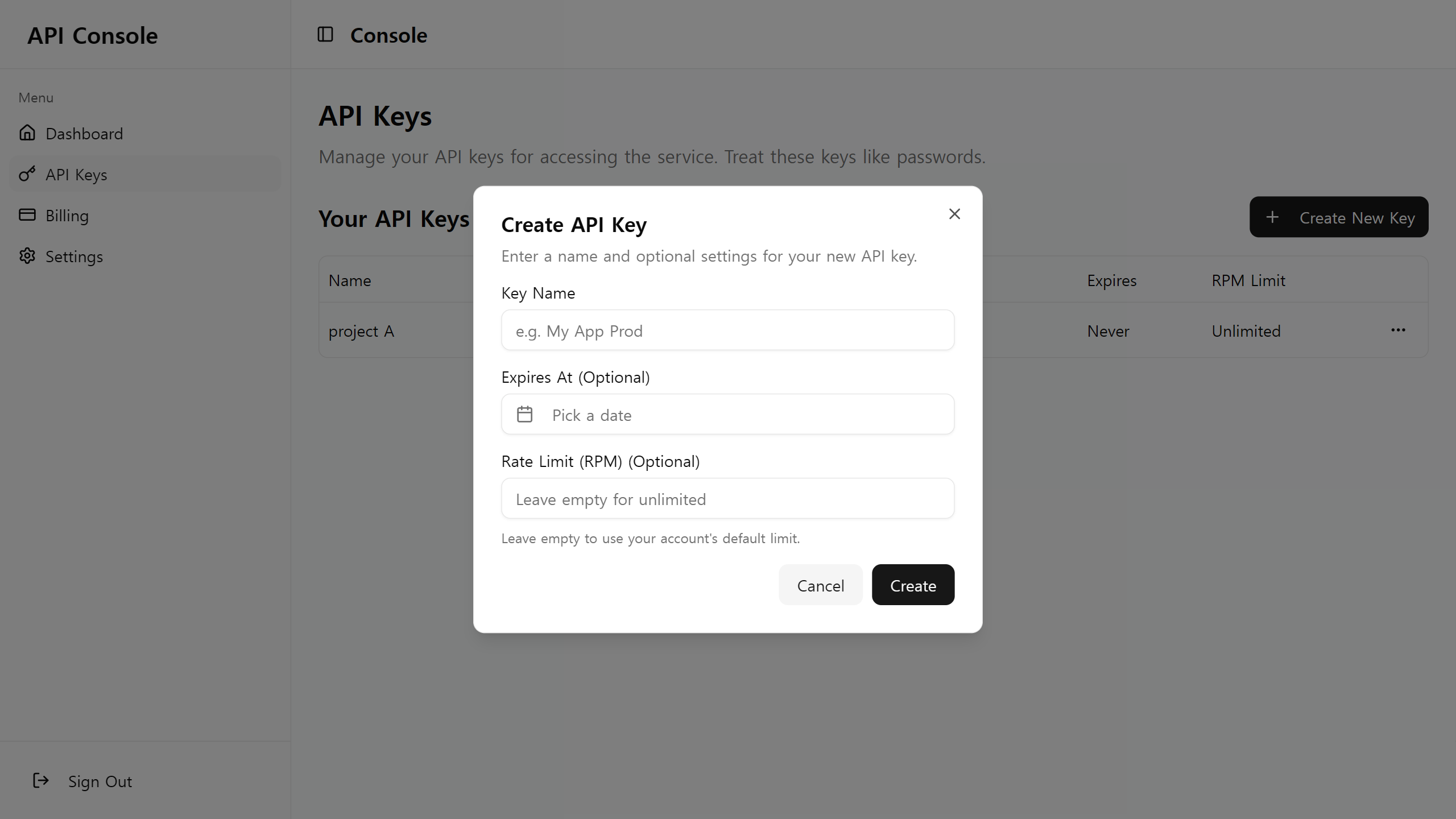
Set the required values to create a key.
- API Key Name: The name for managing the API key.
- Expires At: The expiration date of the API key. If set, the key will be automatically deactivated after the expiration date.
- Rate Limit: The maximum number of calls you can make per minute. It is limited to a maximum of 100 and can be adjusted through a separate contract with us.
When you proceed with key creation, the following pop-up will appear.
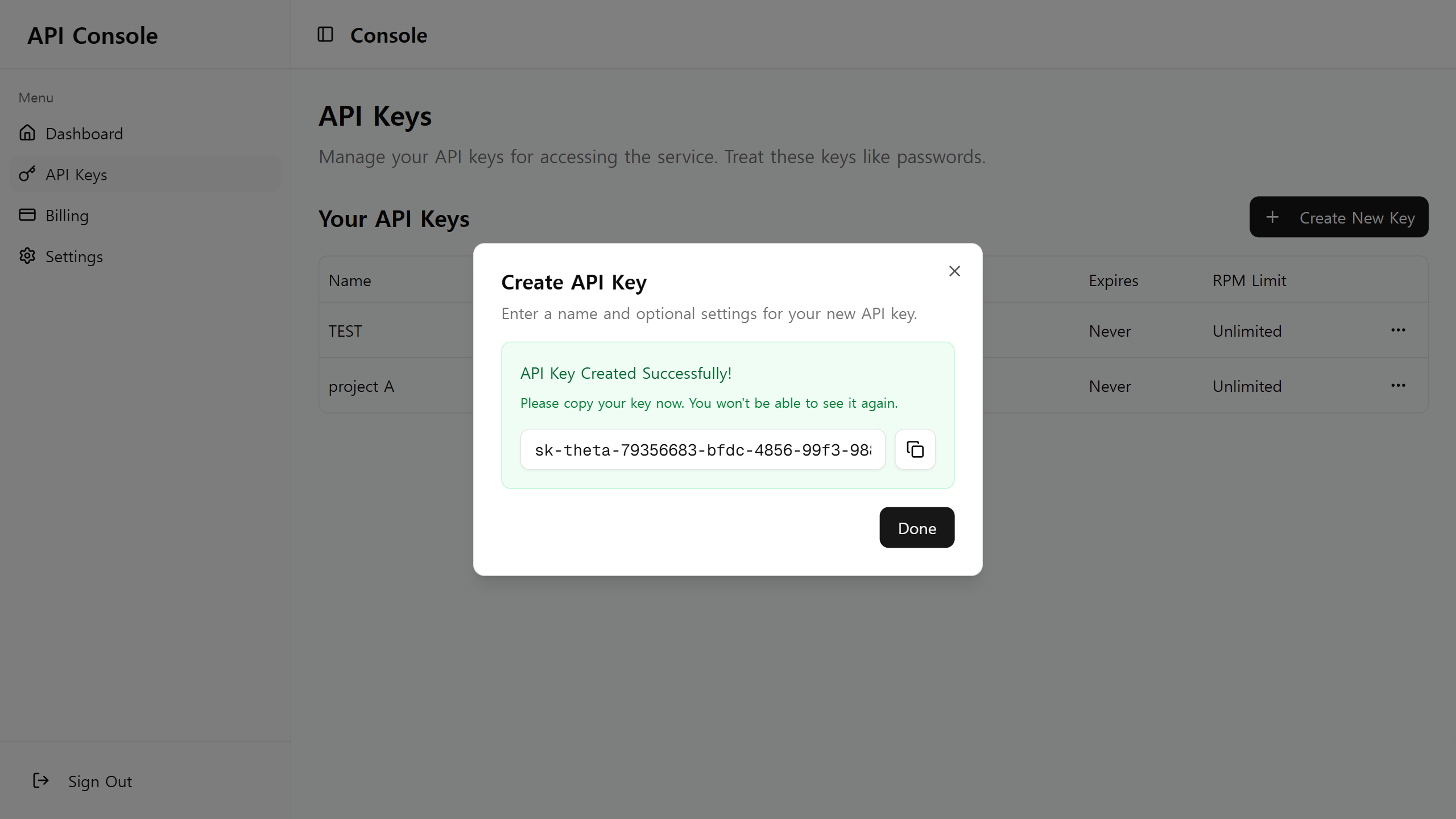
Please save the generated API key (a string starting with sk-theta-) in a safe location.
The API key displayed on the screen is displayed only once at this stage and cannot be checked again.
Theta One is not responsible for API key leakage incidents and damage caused by user carelessness.
If you suspect that a key has been leaked, we strongly recommend that you immediately discard the key and issue a new API key.
Deactivating an API Key
If you no longer use an API key or an unintended key leakage has occurred, you must deactivate the API key.
On the API key management page, you can stop the key by clicking the delete button to the right of the key to be discarded.
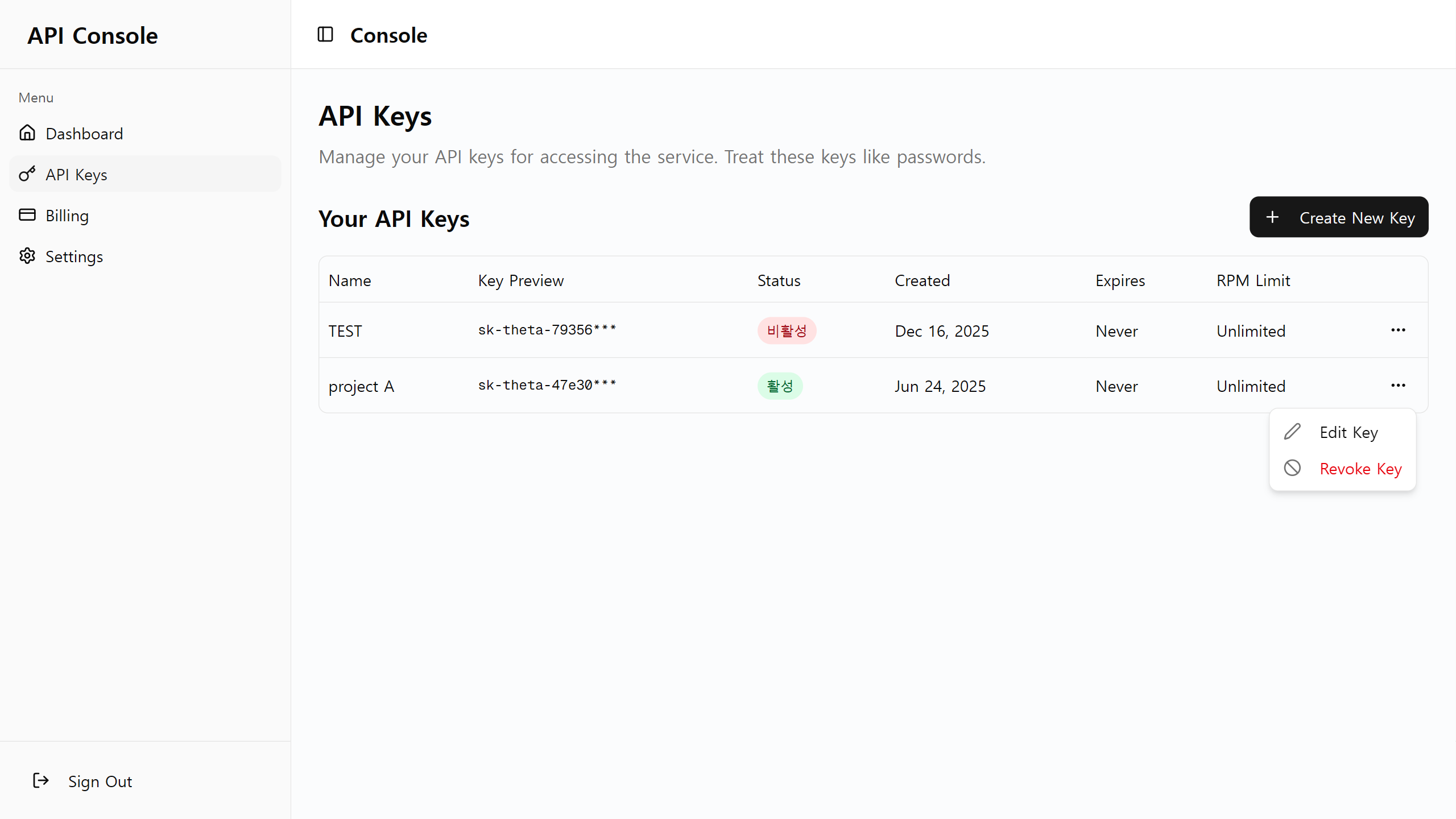
When you delete a key, the key status changes to inactive as shown above, and you can no longer use the key.
For security reasons, once a key is discarded, it cannot be recovered.
If you need to use the API additionally, please issue a new key.